Blog

09/23/2025

The case for remote video case studies

Full story

By Carolyn Lange, Erin McCaul, Felip Ballesteros

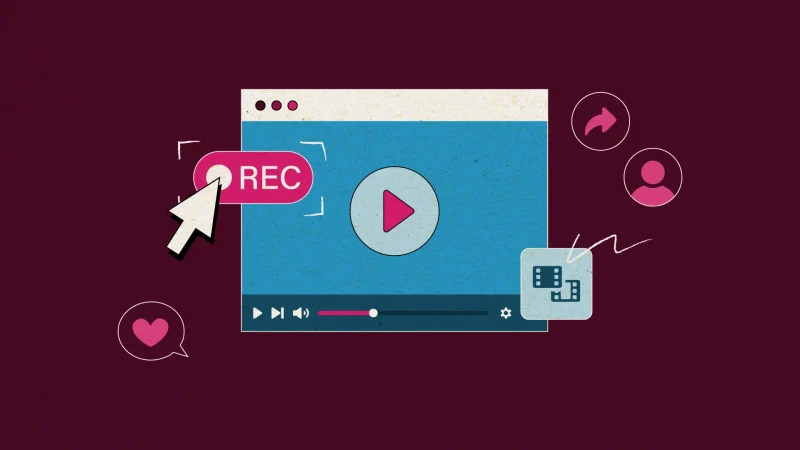
Illustration of a video player with a large play button on screen. A cursor points to a red ‘REC’ button. Icons for sharing, user profile, film clips, and a heart reaction appear around the player, symbolizing recording and sharing video content.

Image by Nicole Todd

For some folks, the concept of remote video case studies conjures early-pandemic memories of pixelated webcams and talking heads in spare bedrooms. But today’s remote videos are a different story. With planning, direction, and editing, they can look sharp, feel personal, and bring customer voices forward in a way that matches the channels people actually use.

Think of them as the right tool for the right job. You wouldn’t hire a film crew to record a podcast snippet, and you wouldn’t use a remote video for a keynote opener. Each format has its place. And for authentic stories that need to move fast and travel far, remote is built for the moment. Here’s why:

More reach for your story 

A customer win captured in video gets more traction than one tucked inside a PDF. Remote videos extend the life of your written case studies, with attention-grabbing snippets for social or the ability to embed in campaign pages.

Polished, not overproduced 

Remote video delivers professional quality without the need for a studio. What you get is storytelling that feels approachable and credible. It’s exactly the tone most audiences expect in their social feeds today—casual enough to fit in amongst a sea of workplace hot takes, and polished enough to shine.

Easier to get the right voices 

Coordinating travel and multi-day schedules for leaders or customers can stall a story for months. Remote recording removes those barriers, so you can include folks across time zones without disrupting the workday. The result is a broader set of voices and perspectives, captured without logistical headaches. 

More value for time and budget 

Remote production eliminates airfare, hotels, and days away from the office. Instead of tying up resources, you get high-quality storytelling that respects people’s time and saves budget, leaving more room for additional campaigns or assets.

Faster campaign turnaround 

Without the need for location scouting or pre-production setup, remote videos move from idea to final cut quickly. That speed means your content can keep pace with campaign timelines and market moments while they’re still relevant.

Flexible and evergreen 

Case study video doesn’t have to be one-and-done. Remote formats make it simple to refresh graphics, swap in updated B-roll, or adjust messaging without a full reshoot.

It’s time to revisit remote

It’s a smart, polished way to amplify customer voices fast, authentically, and in the formats people are actually consuming.

Our remote video team—writers, editors, designers, and videographers included—makes “remote” look anything but DIY. Ready to roll? Let’s talk

09/18/2025

The recipe for building a better, industry-specific burger 

Full story

By Jack Foraker, Michelle Najarian

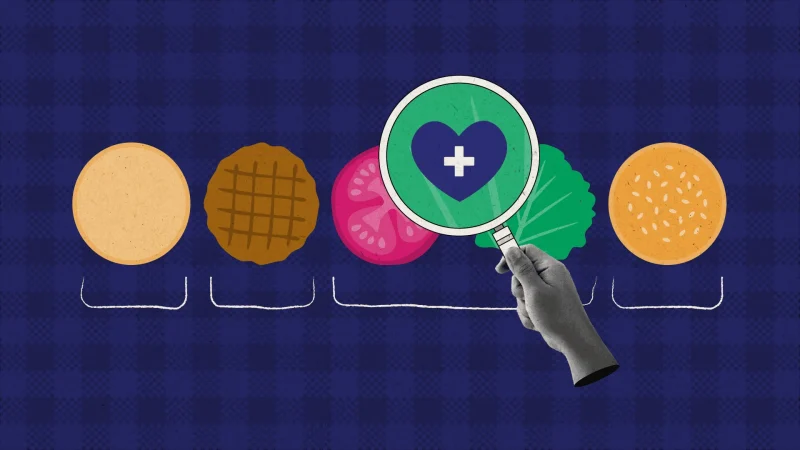
Illustration of burger ingredients—a bottom bun, patty, tomato slice, lettuce, and top bun—arranged in a row on a blue checkered background. A hand holds a magnifying glass over the vegetables, showing a heart with a medical cross inside, symbolizing healthy food choices.

Image by Nicole Todd

When it comes to tailoring marketing materials for specific industries (think healthcare, manufacturing, or financial services), there’s a quick-fix trap many teams use: find and replace. Swap “customer” for “patient.” Change “supply chain” to “retail.” Call it a day. 

There’s just one problem: your audience can tell when you’re not quite speaking their language. 

The results of this find-and-replace approach are serviceable, but we’ve seen them fall flat in the market—where every B2B product seems to be talking to everyone. Industry audiences expect more than cosmetic changes. They want tools and tech that make them better at their job. A healthcare CMO isn’t looking for a generic promise of efficiency; they want to know how your solution helps providers save time with electronic records or streamlined patient interactions. A financial services audience might be less interested in speeding up internal processes and more interested in how you maintain regulatory compliance. Without that level of specificity, your content risks sounding broad, like it’s for everyone. And when it’s for everyone, it’s forgettable. 

Try building a better burger 

The better approach is to create scalable assets that can flex across industries without losing its human edge. We think of it as building a hamburger: the buns are always the same, but the fillings and condiments can be easily swapped out to suit specific preferences. Extra cheese? Veggie burger? Just like different eaters have distinct tastes and dietary needs, different industries have unique expectations, priorities, and challenges. 

In practical terms, this means the structure of your datasheet, ebook, or webinar can remain consistent across industries, while the middle layers—the use cases, proof points, customer stories, and more—can be tailored for each vertical. 

  • Bun: Intro that sets the scene and defines the customer’s challenge
  • Burger: Use cases and proof point specific to the industry
  • Toppings: Real-world customer success stories
  • Bun: Conclusion that distills the value of your product 

This repeatability gives marketers the best of both worlds: efficiency in production and authenticity in messaging. Instead of rushing to retrofit broad assets at the last minute, you’ve got a strategic messaging plan that scales and resonates. 

Assets that adapt to every audience 

It pays to speak the industry lingo. We’ve seen this firsthand. By interviewing subject matter experts, tailoring messaging to sub-personas, and recognizing how different verticals prioritize outcomes, audiences can better see themselves in the marketing. 

We’ve seen clients get a lot of mileage out of our industry-ready approach, and the messaging and positioning frameworks (MPFs) behind it, for this exact reason. An MPF ensures each message reflects the right challenges, vocabulary, and value drivers for the audience, while scalable assets can be created quickly across verticals.  

There’s power in speaking someone’s language like this. It builds trust and gives buyers the confidence to advocate for your solution inside their organizations. For marketers, that means moving beyond quick fixes and investing in a repeatable—dare we say delicious?—framework that balances efficiency with authenticity. And, for us at 2A, it means helping teams create materials that both reach and resonate with industry audiences. 

09/11/2025

From blank slide to standing ovation 

Full story

By Forsyth Alexander

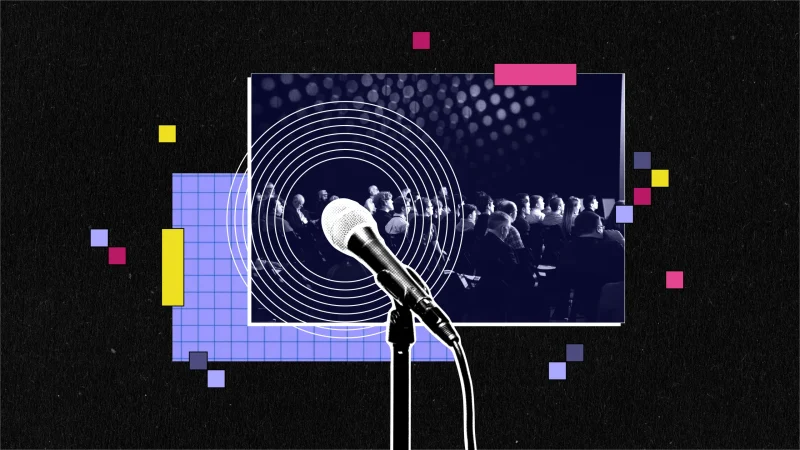
A microphone in the foreground with an audience seated in the background, overlaid with concentric circles and colorful geometric shapes on a dark textured background.

Image by Emily Zheng

Building a keynote for an executive takes vision, collaboration, flexibility, and more than a little finesse. You’re in for a full-contact, multi-week process that involves executive wrangling and nerves of steel. 

But the good news is you don’t have to do it all yourself. 

For more than a decade, 2A has helped execs, product leads, and marketing teams turn high-stakes presentations into crowd favorites. We’ve written social sizzles and talk tracks, designed decks, scripted demo intros, and—yes—been the ones swapping slides backstage at the last second. We don’t shy away from the daily stand-ups, the late-night text threads, the “What if we reversed the order of the whole keynote?” brainstorms. It’s part of the journey. 

Through it all, we’ve also gained some tips that can help during this year’s keynote season.  

Start with the spark (and sometimes a sizzle reel) 

Every great keynote starts with an idea. It can be a new message. Or the unveiling of a cool new set of products. Or sometimes just a vibe. But whatever the hook, the audience needs to care. 2A works with your team to uncover the spark that delivers straight keynote fire.  

Next, we come up with a few themes based on the spark and the conference topic that will carry your message. We craft a positioning statement and introductory paragraph for each proposed theme to offer a taste of the full keynote story. One or two group discussions is usually all it takes for buy-in.  

And here’s a bonus. The winning theme often sparks a short sizzle animation to debut the presentation or a social teaser to generate pre-event buzz.  

Know who’s in the room, on the stream, or both 

Audience alignment drives everything. In a perfect world, the definition of your audience should happen before anyone opens a presentation file. But this is the real world, and it doesn’t always work that way. 2A knows what it’s like to be several slides in before someone mentions the audience. We make sure to home in on whether the presentation is for developers, database administrators, decision-makers, customers, or internal teams. 

Write talk tracks for humans, sometimes more than one 

Nowadays, a keynote will have multiple speakers who are captured in the talk track. To pull that off it often means 10 subject matter experts will be pasting 10 writing styles into one doc. Some are verbose. Others speak in shorthand. Then there are the ones who are just unclear. Suddenly your 50-minute keynote clocks in at 75 minutes. But it’s okay, because we’ll be there, cutting it with the precision of a CNC while keeping what your experts insist is the key moment. And we’ll do it in a way where each speaker retains their personal voice and style.  

Throughout the talk track, our seamless transitions between presenters keep the energy flowing and avoid those awkward “uh, I guess I’m next” moments. Our specialties are friendly banter, warm welcomes, conversational threads, and more.  

You don’t have to go it alone 

Whether you need end-to-end support or someone to tighten your transitions, 2A is here to help you build a keynote people will still be talking about (in a good way) long after the final applause. So, if that conference is looming and you’re wondering how you can nail that keynote, let’s talk

08/28/2025

Mmmm…chips, dips, and cooling GPU sips 

Full story

By Jane Dornemann

Image credit: Chris Feige

Gossip (for nerds) 

  • Microsoft has become the second company in the world to achieve a market valuation of $4T—yeah, that’s a T. Microsoft as a whole saw 18% YoY growth, which emboldened the company, for the first time ever, to break out its earnings by division. Azure brought in $75B for the year
  • Of course, we all know how it feels to have that kind of casual cash burning a hole in your pocket. Personally, I’d get in on the Labubu craze. Instead, Microsoft chose to spend $30B on capital for AI in one quarter. 
  • Microsoft also released a new report that listed the top jobs expected to be replaced by AI. In the top five: interpreters and translators; historians; passenger attendants; service sales representatives; and writers and authors. Not on the list: dog trainers! Job security and puppies? Let’s do this.
  • Amazon’s Q2 earnings were less impressive than Microsoft’s and Google’s, with the cloud division growing 17.5% over the last few months. CEO Andy Jassy said there’s a Wall Street narrative that AWS is falling behind in AI. The rest of Jassy’s statement shows a company that’s doing this thoughtfully and acknowledges that it’s still “so early” for generative AI. Amazon has a well-known bring-your-dog-to-work policy. So those puppies I mentioned earlier? They may also be a distraction… 
  • AWS is dipping out of a third data center in Louisa, VA. And you thought those NIMBYs airing their grievances on Nextdoor were all talk!
  • AWS is also working on cooling technology for Nvidia’s GPUs, using a new system called IRHX
  • AWS gave $1B in cloud credits to the Trump administration. They say rich people love a good deal, and that’s one hefty coupon. 

Wheelin’ and dealin’ 

  • Move over potatoes, Idaho is here for nuclear energy! AWS is working with the Idaho National Laboratory to advance energy research and development using AWS. Why? The tech giant joins Microsoft in looking for more sustainable ways to power AI data centers. “Power is AI’s single biggest constraint,” says Jassy. 
  • GitLab is teaming up with AWS for the next three years to make its single-tenant GitLab Dedicated platform more accessible. This will help regulated industries and public sector teams remain compliant in the cloud. At the same time, GitHub’s CEO stepped down and Microsoft moved GitHub into its CoreAI division. 

New stuff 

  • AWS is making two new models from OpenAI available on its platform. If you can’t beat ‘em, join ‘em! 
  • Microsoft and Databricks created a new integration so that Microsoft Fabric users can access Azure Databricks tables directly and query the latest data without copying or moving anything. 
  • Microsoft has integrated Chat GPT 5 into its full portfolio of AI-powered tools. And while some users call the newest generation of the GPT “emotionally distant,” I’d honestly feel bad ordering someone I really vibed with to do all my busy work. Frenemies, mmkay? 
  • AWS has opened a marketplace only for AI and agents, so expect to see a flood of partners earning their AWS AI Competencies to gain access. 

08/26/2025

Top 5 tips for animations your audience wants to watch 

Full story

By Andrea Swangard

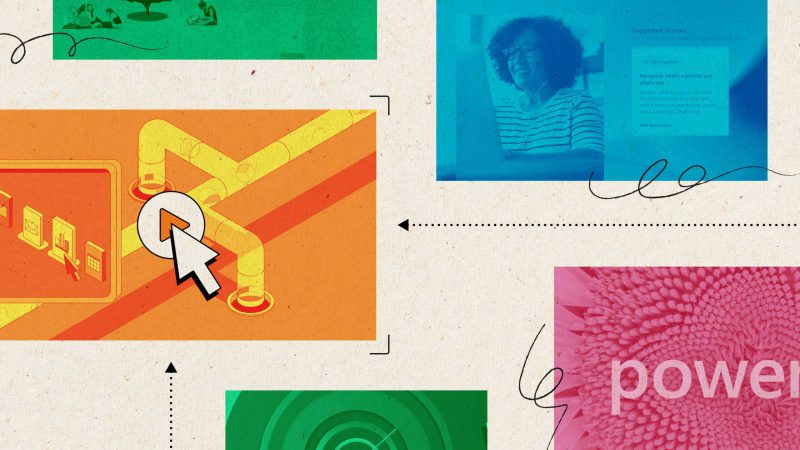
Collage-style illustration with four colored panels: a green panel with people sitting under a tree, a blue panel showing a smiling woman on a video call, an orange panel with a computer screen and a large cursor clicking icons, and a pink panel with a close-up of a flower and the word “power.” Dotted arrows and swirling lines connect the panels on a textured beige background.

Image by Emily Zheng

Animation is the espresso shot of B2B marketing: short, powerful, and guaranteed to wake people up. Done right, it can turn “just browsing” into “tell me more” in under a minute. Done wrong, it’s another skipped video in someone’s feed. 

Want your animation to stop the scroll and help people remember your message? Here are our top five tips. 

1. Know where it’ll live and why it’s there 

Before you break out the storyboards, determine the goals for your animation and where it’s going to play. 

  • Solving a customer headache? 
  • Explaining a product feature? 
  • Pumping up the crowd before a keynote? 

Your goals (such as awareness, education, and sales enablement) and locations (such as landing page, event screen, and social platforms) will decide everything from length to tone to design style. That epic two-minute deep dive video might work great on your website, but folks may not sit through it at a conference. 

2. Get inside your audience’s heads 

Who’s watching? What do they need from you? Are they… 

  • …a hands-on tech lead who wants the details? 
  • …an exec who only needs the “why it matters” in 30 seconds? 
  • …someone who has never heard of you before? 

The more you know about where your audience is coming from, the easier it’ll be to maintain engagement by serving them exactly the right amount of detail (at the right length). 

3. Match the design to the moment 

Different animations work for different audiences. Think about: 

  • Where it’ll play: On a big screen at an event? On your LinkedIn? Embedded in a sales deck? 
  • What you’ve got: Are you starting with brand assets? Need custom illustrations? Going heavy on UI mockups or stock footage? 
  • How you’ll amp it up: Voiceover? Music? Sound effects? All of the above? 

An event “sizzle” might need bold graphics, fast cuts, and exciting music. A product demo? Go for clean UI animation and a voiceover that explains without overwhelming. 

4. Keep feedback flowing 

Animations take shape one layer at a time. Routine feedback sessions keep the creative process aligned with your brand and objectives. Expect to review: 

  • Scripts and messaging
  • Storyboards and style frames
  • Animation previews with text, brand, and polish 

Schedule regular check-ins and keep relevant people in the loop. Nothing kills momentum faster than a two-week wait for feedback. 

5. Plan your timeframe…and add buffer 

A high-quality animation doesn’t happen overnight. Depending on complexity, expect 6–10 weeks from kickoff to final delivery. Add more buffer if you need a complex UI, custom illustrations, or a few extra rounds of tweaks. 

Plan ahead, especially if you’re targeting an event date or campaign launch, and give your team enough time to review without cutting corners. 

Bring your story to life 

The best marketing animations are clear, audience-focused, and designed with purpose, but they also have a spark that makes people want to watch. Nail our five tips and your animation will do more than look good—it’ll deliver results. Need some inspo? Check out our latest sizzle reel. Ready to make your story move? Let’s chat

08/21/2025

How to maximize generative AI for partner marketing 

Full story

By Liz Mangini, Jane Dornemann

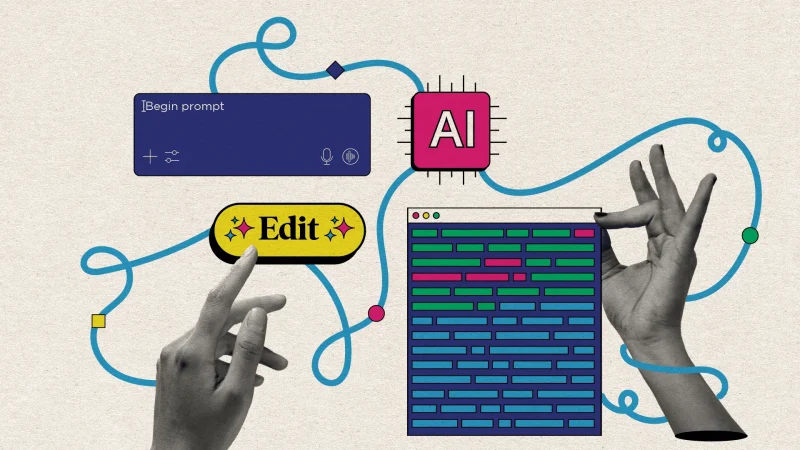
A collage-style illustration featuring two hands interacting with abstract AI elements. One hand points to a yellow “Edit” button, while the other makes an “OK” gesture. Surrounding them are connected graphics: a blue text input box labeled “Begin prompt,” a pink AI microchip icon, and a colorful block of text representing generated content. Wavy blue lines and geometric shapes connect the elements on a beige textured background.

Marketing budgets are tight, and the excitement around generative AI and agentic AI is palpable. Yet, in practice, applying it is often more complicated than it first appears. Launching a joint go-to-market (GTM) campaign with partners is a prime example. In a perfect world, both parties could brainstorm content ideas, then feed AI brand guidelines and transcripts to generate emails, one-pagers, and webinar decks. But joint marketing efforts come with an extra layer of relationship context that AI can’t quite decipher. How can generative AI get multiple partners to agree on a messaging direction when they don’t? What can it do for collaborative offerings that come with a bit of competition for the spotlight? 

There’s a lot of highly human, nuanced negotiation that happens in co-marketing—it’s a bit like therapy. So, we set out to see where we can best apply generative AI to important activities across joint GTM efforts, and where we can’t. Here’s what we learned about where AI shines and where it falls flat. 

Working through messaging hierarchies 

Falls flat 
Two or more brands with competing offerings and stories have different priorities, and generative AI struggles to grasp those dynamics. It can’t resolve alignment or make judgment calls on which messaging tier should take precedence. 

Shines
Only after humans create a joint messaging framework can AI help. Once the hierarchy is established, generative AI can apply that framework consistently in content generation. 

Ensuring content sticks to all brand and legal guidelines 

Falls flat
Generative and agentic AI often leave out important brand or legal guidelines—especially when navigating 100-page brand guides. They miss nuances, like Oxford comma usage, shifting partner rules, or strict naming guidelines, enforced by hyperscalers like AWS, Microsoft Azure, and Google Cloud.  

Shines 
If you’ve built an AI agent in-house, you can train it over time to retain and enforce the rules. AI can serve as a second set of eyes when it comes to compliance, such as running completed content through the agent to catch violations and suggest corrections, ensuring co-branded assets stay publishable and eligible for marketing development funds (MDF). 

Distilling shared value propositions 

Falls flat 
Multi-partner GTM motions require telling a joint story that highlights the “better together” value. Generative AI can’t conduct interviews, facilitate stakeholder discussions, or navigate political tensions between product and marketing teams. It also can’t pull insights from sales calls or uncover the discovery work needed to align on shared value. 

Shines 
Generative AI can describe features and benefits once humans define the shared value—such as articulating how two services complement each other. It’s effective at polishing and amplifying agreed-upon value statements, but not at generating them from scratch. 

Drafting GTM content 

Falls flat 
Relying on generative AI to draft long-form copy from research alone often produces content that lacks authenticity. It can’t capture the nuance of customer pain points or the storytelling required for a strong narrative. 

Shines 
Generative and agentic AI excel at supporting research, surfacing data points (with sources if prompted), and refining human-written drafts. Once you have a strong narrative, AI can repurpose messaging for derivative assets, like social copy, web blurbs, or social cards, and adjust content for different personas and industries when provided with strong, research-based prompts. 

Why the hybrid model works best 

It’s undeniable that generative and agentic AI offer valuable scalability and efficiency, but they are limited when it comes to understanding complex human interactions, creativity, and context within a multi-partner GTM strategy. That’s why we’ve made AI a support tool rather than a replacement for human oversight.  
 
By combining AI’s speed and efficiency in refinement and content creation with human-generated baseline content, you can accelerate the GTM process. Add AI to a mix of strategic insight and the creative expertise of experienced marketers, and you can use both to deliver high-quality, aligned, and impactful content that meets everyone’s needs in a multi-partner ecosystem. 

08/13/2025

Navigating design: How we stick to a brand with or without guidelines 

Full story

By Suzanne Calkins, Carolyn Lange

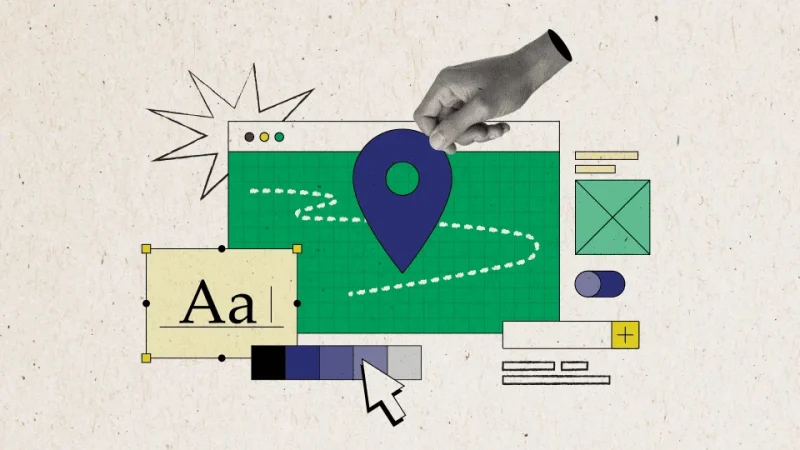
Collage-style illustration of a computer window with a green grid background, a large blue location pin in the center, and a hand placing it. Surrounding elements include design icons like a text size 'Aa' box, color palette, toggle switch, image placeholder, and interface buttons, representing digital design and navigation

Image by Nicole Todd

This year has brought a steady stream of new-to-us brands, each with its own style, assets, and way of working. And just like any new adventure, we weren’t quite sure what was in store for us when we set out. Some of these new projects kicked off at the trailhead with just a color palette and a deadline, while others were already at the final mile—sharing polished brand systems and guidelines. We found ways to adapt to both, drawing on our experience as creative problem-solvers and collaborators to guide each project to a strong, on-brand finish.  

Whether we’re following a well-worn map or forging ahead on what years of expertise tells us, we’ve learned a few things about how to navigate the process.  

Under-developed design toolkits: When we kick things off with a new brand, we typically ask for a design onboarding session where our designers can review available references and identify areas that need clarification. If brand guidelines are light, we’ll look for clues in the wild—published assets, LinkedIn posts, or campaign examples that hint at their intended direction. From there, we guide the conversation: What tone are you hoping to strike? What visual details do you love (or hate)? When the client isn’t sure yet, our designers draw on years of experience and pattern recognition to offer strong starting points and explore multiple options. We help clients see what they want, often before they know how to ask for it. 

Well-established design guidelines: On the flip side, when brands have comprehensive toolkits we carve out extra time to go through all available resources. We also ask early on if there needs to be a brand review process, then build that step into our timelines.  

And now the fun part! Here’s a snapshot of what we’ve been up to recently: 

Neo4j  

We riffed in real time, tested a bolder color palette, and reshaped social posts and decks for more punch. Consistent client collaboration kept the work fresh and cohesive across every asset. 

Google

We drew inspiration from a file-folder motif and ran with it. It served as the basis for navigating a 70+ page document.  

Auth0 (Okta)

We worked closely with available references and brand cues to shape a visual direction that respected identities of both Auth0 and the larger Okta family. 

Carrier

An in-progress Figma from the Carrier brand team became the blueprint for our Lynx design.  

Contact our team to speak with a consultant and see more examples of our designs in the wild. 

07/29/2025

For AI-generated ebooks, start with MPFs 

Full story

By Katy Nally

Collage-style artwork featuring a hand holding an open book with fanned-out pages. The background is black with abstract colorful shapes (orange circle, pink and blue semicircles, and small squares) and flowing line accents, creating a dynamic and creative visual.

Image by Suzanne Calkins

When the lovable lawyer with questionable judgment Saul Goodman got his own show, we celebrated. When Fraiser Crane changed his backdrop from the Cheers bar to his Seattle apartment, we kept watching as his backstory unfolded. Hollywood loves a good spin-off, and so do we. 

In the content marketing world, the spin-off just got a whole lot easier thanks to generative AI. A few prompts can yield a whole bunch of new assets based on the original. But the narratives are only as good as the initial inputs. If those are too fluffy or redundant, the spin-off content won’t say much and will drown in the sea of spam. 

That’s why messaging and positioning frameworks (MPFs) have been a top-selling asset for 2A this year. These documents pack in a ton of information about a solution’s value, reasons customers should believe in it, and real-world use cases applicable to various industries. MPFs explain the differentiated benefits of our clients’ solutions, which is exactly the kind of detail you need for AI to create a standout spin-off asset like a hero ebook. 

For companies just getting started with AI-generated content, we recommend this approach. Start with a human-created MPF that involves your whole team in the process and nails down exactly what you want to say. We’ll act as the conversation facilitators to pull out salient points, then we’ll capture them in customer-ready copy. From there, we can save you some time and money by using our AI tools to generate an ebook based on your MPF. 

Essentially, do the hard work up front for a better payoff in the end. That is, after all, how Hollywood does it. 

07/25/2025

AI prompts are the new parting gift 

Full story

By Jane Dornemann

Image credit: Chris Feige
Gossip (for nerds) 
  • Microsoft is having a rough month for PR. First, Gizmodo reports, “Microsoft Is Firing About 9,000 People Because Business Is Great.” As the company’s profits and stock hit historic highs, it let go of just under 4% of its workforce globally. Sales, customer service, and software engineering were all affected. Some developers are allegedly being replaced by the AI they helped build.
  • For the newly jobless, a Microsoft executive suggests they console themselves with AI—he even gave them prompts.
  • Microsoft isn’t the only cloud company cutting staff. AWS laid off hundreds in July. However, like Microsoft, it’s not just AI and automation driving these layoffs. While official reports are hard to find, there is much chatter here and elsewhere that the bigger influence is offshoring jobs to India and the Philippines, in part prompted by the shaky status of the H-1B visa program that brought those workers here to the US.
  • Microsoft’s Maia AI chip is delayed by at least six months and even then, once it goes into production, it’s expected to fall short of NVIDIA’s Blackwell chip. I believe what you felt reading that is called schadenfreude
  • Analysts say Microsoft has so far captured the largest amount of generative AI spend in the market. Nearly 60% of CIOs plan to increase Azure spending next year, with 97% planning to adopt AI tools.
  • What does the next fiscal year hold for Microsoft? The cloud giant will increase investments in migrating companies from VMware platform to Azure; boost partner funding and incentives across Copilot, Azure, and Microsoft 365; and will introduce several new partner specializations and designations. 
Wheelin’ and dealin’  

Meta and AWS are collaborating on a program that will provide six months of technical support from their engineers, plus our favorite form of currency, AWS cloud credits, to 30 startups building AI tools using Llama AI. I have no doubt Meta will use these tools responsibly. If you have a conversation about monkeys and then get a bunch of monkey videos on your Facebook page, that is purely a coincidence, I don’t know what to tell you.  

Professional pivots 
  • The VP and general manager of generative AI at Amazon has peaced out to work for Siemens. He led AI product strategy at AWS but surely an AI agent can do his job, no? A fun fact in the article: In its efforts to lure OpenAI employees away, Meta has been offering $100M sign-on bonuses. That was not a typo.
  • Snowflake snatched away the AWS Managing Director of Industries and Solutions. Also out the door after 17 years is Kevin Miller, the AWS Global Data Center VP. 
New stuff  
  • New solutions and services from AWS this month include OracleDatabase@AWS, which is generally available in some US Regions; AWS Builder Center, a new online hub where AWS users can share ideas, access learning resources, join community programs, and vote on feature requests; and Kiro, which will help developers write code from AI.
  • Ten years ago, I was getting these terrible ice pick headaches deep in my dome piece and I went to the doctor, and he was like it’s probably scalp pain. I said no, it isn’t. Then he said oh it’s probably anxiety. I said no, it isn’t. Then I got a CT scan and it was a brain tumor! True story! So when Microsoft says a study showed its AI can diagnose 400% better than doctors, not only do I believe them, but I would add to the list of other things that can out-diagnose many doctors: balls of lint, naked mole rats, rocks.
  • While Microsoft AI is diagnosing you instead of a doctor, AWS can help with surgery. AWS, NVIDIA, and Johnson & Johnson have launched the Polyphonic AI Fund for Surgery, a grant program for building AI tools aimed at improving care before, during, and after operations. (Just don’t sprinkle any of that J&J powder on my organs. Or their hip implants. Or their birth control. Or Risperdal. Actually, yes to the Risperdal.)
  • The AWS Summit in New York was home to several announcements, starting with Amazon Bedrock AgentCore. It’s a modular, enterprise-grade platform that enables organizations to deploy, manage, and scale secure AI agents at production-level. The underlying advantage is that it “bridges the critical gap between proof of concept and production for AI agents.”
  • Other announcements of note: A $100M investment in agentic AI developments through the AWS Generative AI Innovation Center and a new AI agent Marketplace, in partnership with Anthropic. An update to Copilot Vision for Windows will allow the tool to see everything that’s on your screen, including browser windows.
  • Microsoft, OpenAI, and Anthropic created The National Academy of AI Instruction to train 400,000 K-12 teachers on AI over the next five years, with a flagship campus in NYC.
  • Project Rainier from AWS is a colossal, highly efficient “AI supercomputer” that links hundreds of thousands of custom Trainium2 chips across multiple data centers. This will give AI developers like Anthropic about 5x more power (isn’t that exactly what tech companies need right now?) to train next generation models. 
  • Blaxel thinks AWS and Microsoft don’t have the right infrastructure to handle AI agents at scale—and it’s already seeing significant traction. Palantir is also going toe-to-toe with AWS by offering an integrated platform for building sophisticated data and AI applications.  
Ma’am, I’m going to have to call security 
  • SharePoint servers, including those belonging to governments around the world, healthcare providers, and energy companies, came under attack and a “broad level of compromise” this month when hackers took advantage of an “undisclosed digital weakness” discovered by a third-party security firm. At least 50 servers have been successfully compromised, leading Palo Alto Networks to describe this ongoing issue as a “high-severity, high-urgency threat.” 
  • To get around a government requirement that only US citizens with security clearances may access Defense Department data, Microsoft used a workaround: “digital escorts” that carried out tasks from engineers in China on sensitive Pentagon cloud systems—even though many of these escorts didn’t understand how to catch potential threats.  

07/17/2025

The anatomy of a high-performing email send 

Full story

By Carolyn Lange

A stylized collage showing a person holding an envelope while a large, digital email notification overlays the scene. The email preview features a blue box with the text
The anatomy of a high-performing email send 

Remember those chain emails from the early aughts? They were like tiny inbox surprises wrapped in weird promises like, “Forward this to 10 people or you’ll be cursed with lice forever,” or “Send this and your crush will take you to Burger King.” Some were absurd, some were oddly sweet, and the best ones had just enough charm to make me hit forward (for kicks and giggles). 

Eventually, though, the chain letters lost their magic. I tuned out when the messages didn’t change and that sense of connection I felt with the sender was lost. 

That’s what happens when your marketing emails start sounding the same. They become noise. At 2A, we treat each send like a fresh chance to connect, with clear, focused content that’s just different enough to earn a click. 

One recent email earned a 47% open rate and 25% click rate—well above peer benchmarks of 30% and 4%. Here’s what made it land so well. 

Nail the first impression 

This subject line is conversational, but not chatty. It introduces tension without sounding dramatic, and it sidesteps all the usual buzzwords that scream “marketing email.” 

We also use preview text that sets expectations and suggests that something helpful is waiting inside: “Tips to get partner content back on track.” 

Catch those eyes 

This collage-style design gives the email a distinct look without overwhelming the content. The combination of motion, color, and texture shows that we care about the details.  

Make it worth their time 

Got a tangle of partner or industry marketing content that’s hard to manage? It can quickly spiral out of control when teams repurpose the message without a clear strategy.   

Learn how to tame your messaging Hydra and build scalable assets that actually work. 


Right out of the gate, the email content names the problem. It acknowledges the reader’s reality with clarity and zero condescension. It also offers a clear, actionable promise without overselling. The brevity makes it feel more like a helpful nudge than a pitch, and the line about taming a messaging Hydra adds just the right bit of fun personality. 

Get the click 

The CTA closes the loop on the message by pointing to an outcome the reader can expect by clicking, instead of an offer. It’s visually bold and verbally simple. 

Optimize for your audience  

Our audience list is a living thing. We’ve spent years honing it, curating a group that’s relevant, engaged, and genuinely interested in what we send. We maintain it regularly and filter out bots to ensure our performance data reflects real human behavior. We even use an AI spam checker to find language that might be flagged by the filters. 

This email worked because it felt real. It had a point. It respected the reader’s time. And even though it resonated especially well with partner marketers, it was designed to connect with anyone dealing with messy content. 

Not every audience will respond to the same tone, format, or pacing. But the principle holds: if your email feels like it could’ve been written for anyone, it probably won’t matter to anyone. 

Say something specific. Sound like someone. That’s the bar worth meeting. And if your email sends could use a little extra spark, let’s talk